
Picture a Tuesday morning at a small bakery in Austin. A customer has messaged the Facebook Page asking about gluten-free options, someone else has commented on last week's Instagram Reel, and the owner still has not scheduled the weekend promotion. Three apps, three logins and a growing to-do list.
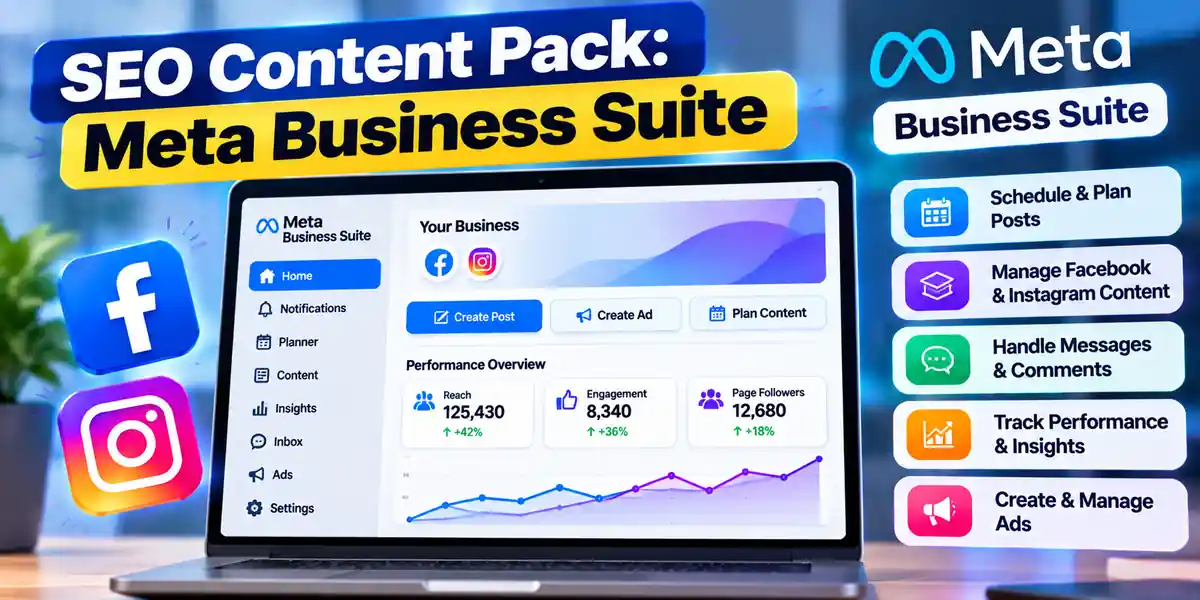
That scattered routine is exactly the problem Meta Business Suite was built to solve. It is Meta's free hub for managing a Facebook Page and a linked Instagram professional account side by side: posting, scheduling, replying to messages, checking performance and running simple ads.
In this guide, you will learn what Meta Business Suite is, how each main tool works, how it differs from Ads Manager, and a simple weekly routine that keeps your social presence consistent without eating your whole week.
What Is Meta Business Suite?
Meta Business Suite is a free, browser and mobile tool that brings the business features of Facebook and Instagram into one place. You can reach it on desktop at business.facebook.com or through the Meta Business Suite app on iOS and Android.
It replaced several older tools over time. Facebook's Creator Studio, for example, was retired in 2023, and its publishing features now live inside the suite. If you remember "Facebook Business Suite," that is simply the old name.
In plain terms, the suite gives you:
- One feed of tasks and notifications for your Page and Instagram account
- A shared content calendar for posts, Stories and Reels
- A unified inbox for Messenger, Instagram Direct and, if connected, WhatsApp
- Insights that show reach, engagement and audience details
- Basic ad creation, often called "boosting"
Who should use it?
The suite suits small and mid-sized businesses, solo marketers, local service providers and nonprofits that mainly market on Facebook and Instagram. Larger teams that manage many brands, or that also publish on LinkedIn, TikTok and YouTube, often pair it with a third-party scheduler.
Key Features of Meta Business Suite Explained
Home dashboard
The Home screen is your morning briefing. It shows recent posts, unread messages, comments waiting for a reply and quick performance snapshots. Treat it as a triage view: answer what is urgent, note what needs a longer response and move on.
Content and the Planner
The Content area lists everything you have published or scheduled. The Planner turns that list into a calendar so you can see gaps at a glance.
Practical uses include:
- Scheduling a week of posts in one sitting
- Cross-posting the same update to Facebook and Instagram, then tailoring captions for each audience
- Saving drafts so a colleague can review them before publishing
- Spotting clusters, such as three promotional posts in a row, and spreading them out
Meta has continued to add creative options here. In 2026, for example, the app added support for inviting collaborators on Instagram Reels and photo stickers in the Story builder.
Inbox
The Inbox gathers Messenger chats, Instagram Direct messages and comments. You can label conversations, assign them to teammates, mark them as done and set up automated responses such as instant replies, away messages and frequently asked questions.
Meta has also been testing a Leads view in the Inbox that tracks conversations by stage, which is useful if messages are a key source of sales inquiries. Features like this roll out gradually, so they may not appear in every account yet.
Insights
Insights shows how your content and audience are performing. Focus on a small set of numbers you can act on:
MetricWhat it tells youAction to take
ReachHow many unique accounts saw your contentIf reach drops, test new formats such as ReelsEngagementReactions, comments, shares and savesRepeat topics that earn saves and sharesLink clicksInterest in visiting your siteCheck landing pages for the posts with the most clicksFollower growthWhether your audience is expandingCompare growth against posting frequencyAudienceAge, gender and top locationsAdjust posting times and offers for your main locations
Ads
You can boost a post or create a simple ad directly in the suite. This is quick and works well for local promotions, event reminders and lead forms. For detailed targeting, split testing and full campaign control, Ads Manager remains the better tool.
Meta AI business assistant
Meta has added an AI business assistant across Ads Manager, Meta Business Suite and Business Support Home. It answers account questions in plain language and gives tailored recommendations. Use it as a helper, not a decision maker: always check a suggestion against your own goals and budget.
Meta Business Suite vs Ads Manager vs Business Settings
Many people mix up these three tools. Here is how they fit together.
ToolMain jobBest for
Meta Business SuiteDay-to-day publishing, messages, insights and simple adsSmall teams, owners and community managersAds ManagerFull paid campaign managementAdvertisers who need precise targeting, testing and reportingBusiness settings (business portfolio)Ownership of assets, people, permissions and ad accountsAdmins who control who can access what
A simple way to remember it: the suite is where you work, Ads Manager is where you spend, and business settings is where you decide who holds the keys.
How to Use Meta Business Suite: A Step-by-Step Setup
- Check your accounts. You need a Facebook Page and, ideally, an Instagram professional account (Business or Creator).
- Open the suite. Go to business.facebook.com on desktop or install the mobile app, then select your Page.
- Connect Instagram. In settings, link your Instagram professional account so you can publish and reply from one place.
- Add teammates with the right access. Give people only the permissions they need. A part-time content creator rarely needs full control of the ad account.
- Turn on security features. Use two-factor authentication. Meta has also begun supporting passkeys for business accounts, which add another layer of protection.
- Set up automated replies. Write a short instant reply that sets expectations, such as when your team usually responds.
- Build your first two weeks of content in the Planner. Starting with two weeks gives you breathing room and shows you how the calendar flows.
A Weekly Meta Business Suite Routine for Small Teams
Tools only help if they become habits. Here is a lightweight routine a one or two person team can follow.
Monday (45 minutes): Plan. Review last week's Insights. Pick the two posts that performed best and ask why. Schedule this week's posts in the Planner, mixing helpful content, behind-the-scenes moments and offers.
Daily (15 minutes): Respond. Clear the Inbox and comments. Fast, friendly replies often matter more to local customers than polished graphics.
Wednesday (20 minutes): Create. Record one short Reel or Story. Simple, real footage of your product or team often outperforms heavily edited content.
Friday (20 minutes): Review. Check reach and link clicks. If a post is performing well organically, consider a small boost aimed at your local area.
Example in practice
A two-person landscaping company in Ohio might schedule three posts a week: a before-and-after project, a seasonal tip and a short team video. They answer quote requests from the Inbox each evening and boost the best before-and-after post to homeowners within 15 miles. The suite handles all of this without a paid tool.
How Different Businesses Can Use Meta Business Suite
The same tool can play a different role depending on how your business wins customers.
Local service businesses
Plumbers, salons, dental offices and fitness studios live on inquiries. For them, the Inbox is the heart of the suite. Set up instant replies that share booking links, add FAQ answers for pricing and opening hours, and label each conversation as "quote sent," "booked" or "follow up." Insights should focus on top locations, so promotions reach the neighborhoods you actually serve.
Ecommerce brands
Online stores benefit most from the Planner and simple ads. Plan product launches two to three weeks ahead, use Reels to show products in use, and boost posts that already have strong organic engagement. Link clicks become the key metric because they show who moved from scrolling to shopping.
B2B and professional services
Consultancies, agencies and training providers often use Facebook and Instagram for brand awareness rather than direct sales. Use the suite to share case-style stories, team expertise and event announcements. Track saves and shares, which signal that your content is useful enough to keep or pass on.
Nonprofits
Charities can use the Planner to map campaigns around awareness days and fundraising events. The Inbox helps volunteers coordinate replies, and Insights shows which stories inspire people to act.
How to Measure Results Inside Meta Business Suite
Activity is not the same as progress. To know whether your effort is paying off, link what you see in the suite to a business goal.
- Pick one goal per quarter. For example, more booking inquiries, more website visits or a larger local audience.
- Choose the matching metric. Inquiries map to new conversations in the Inbox. Website visits map to link clicks. Audience growth maps to new followers in your target locations.
- Set a baseline. Note last month's numbers before you change anything.
- Change one thing at a time. Try posting Reels twice a week or replying faster, then compare results after four weeks.
- Connect to your website analytics. Add UTM parameters to links in your posts so tools like Google Analytics show which social posts drive visits and conversions.
This simple loop turns the suite from a posting tool into a source of real business insight.
Common Mistakes to Avoid
- Copy-pasting identical captions. Instagram users expect shorter, more visual captions and relevant hashtags. Facebook audiences often respond better to context and links.
- Ignoring messages. Slow replies can cost inquiries. Use automated replies to acknowledge messages quickly.
- Giving everyone full control. Overly broad permissions create security risks. Review who has access every quarter.
- Judging by likes alone. Saves, shares and link clicks usually say more about real interest.
- Boosting every post. Save your budget for content that has already proved it resonates.
When You Might Outgrow Meta Business Suite
The suite is strong for Facebook and Instagram, but it has limits. Consider adding other tools when:
- You publish across many platforms and want one calendar for all of them
- You need approval workflows for several brands or clients
- You want deeper reporting that combines social data with website analytics
- Your ad strategy needs advanced testing, which belongs in Ads Manager
Even then, many teams keep using the suite for its Inbox, because replying to customers natively is quick and reliable.
Conclusion
Meta Business Suite gives small businesses a single, free place to plan content, talk to customers, measure results and run simple ads across Facebook and Instagram. The real gains come from using it consistently: a weekly plan, daily replies and a quick review of what worked.
Start by connecting your accounts, tightening permissions and scheduling two weeks of content. Then let your Insights guide what you create next.
If you want to build stronger skills in social media strategy, content planning and paid social, explore the Social Media Marketing training at The Knowledge Academy and learn how to turn everyday posting into measurable business results.
FAQ
Is Meta Business Suite free?
Yes. Meta Business Suite is free to use. You only pay if you choose to boost posts or run ads.
What is the difference between Meta Business Suite and Business Manager?
Business Manager was the older name for the area where you manage business assets, people and permissions, now generally called business settings or a business portfolio. Meta Business Suite is the day-to-day workspace for publishing, messaging and insights.
Can I schedule Instagram posts in Meta Business Suite?
Yes. Once your Instagram professional account is connected, you can schedule feed posts, Stories and Reels from the Planner or Content area.
Is "metabusiness suite" the same as Meta Business Suite?
Yes. "Metabusiness suite" is a common way people type the name. Both refer to Meta's free tool for managing Facebook and Instagram business accounts.
Can multiple people manage one account in Meta Business Suite?
Yes. Admins can add people and assign specific access, such as content, messages or ads, so each person sees only what they need.
Does Meta Business Suite work on mobile?
Yes. The Meta Business Suite app on iOS and Android lets you post, reply to messages and check insights on the go.
Should I use Meta Business Suite or Ads Manager for ads?
Use the suite for quick boosts and simple promotions. Use Ads Manager when you need detailed targeting, A/B testing and full campaign reporting.
Get a free marketing audit
See exactly where your SEO, ads and website are leaving money on the table.