How to Watch YouTube Offline on Android Without Premium
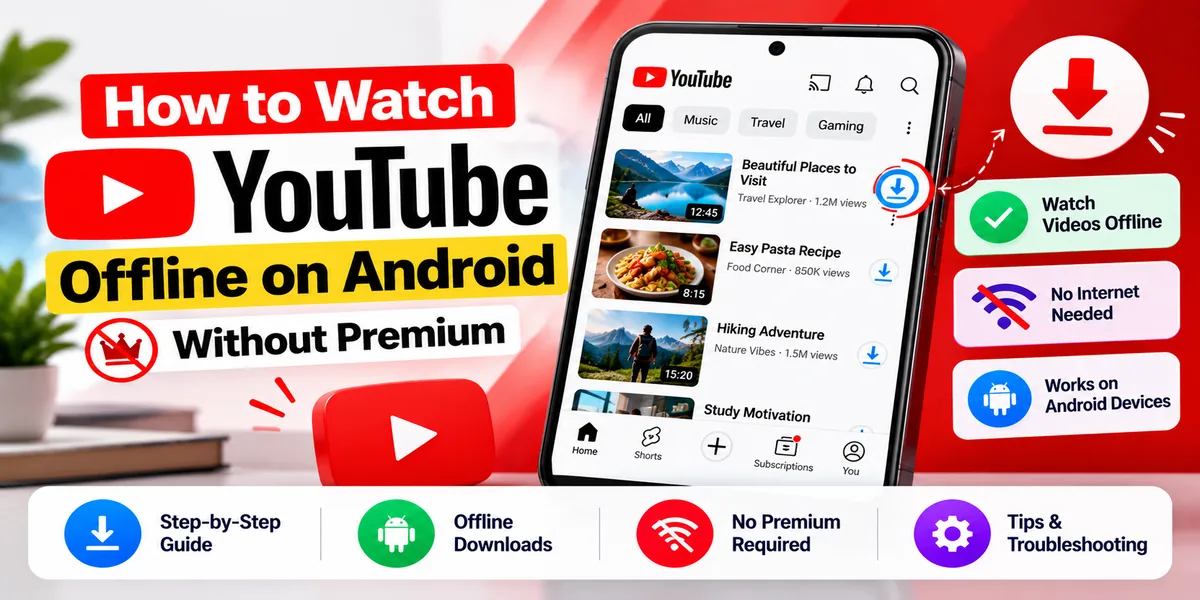
The cheapest legitimate way to watch YouTube offline on Android is Premium Lite, which gained offline downloads and background playback on 24 February 2026 and costs $7.99 a month in the US — roughly half the price of full Premium. Almost every guide on this subject was written before that change and still presents the choice as full Premium or a third-party downloader.
Two other routes exist without any subscription: downloading your own uploads through YouTube Studio, and sourcing openly licensed video from places that offer direct downloads. Both are covered below.
One expectation to set immediately. Official YouTube downloads are stored encrypted on your device and can only be played inside the YouTube app. If what you actually want is a portable MP4 you can move between devices, no official route provides it, and this article will not point you at an unofficial one. Better to know that in the first thirty seconds than three thousand words in.
Premium Lite: the option nobody has updated for
This is the most useful thing on the page.
Premium Lite launched as a cheaper, restricted tier without downloads. On 24 February 2026, YouTube added offline downloads and background playback to it, explicitly in response to user feedback.
What you get: most YouTube and YouTube Kids videos ad-free, offline, and in the background. Gaming, fashion, beauty, news, and general content are covered.
What you do not get: Shorts, official music videos, children’s songs, and user-generated videos containing copyrighted music are excluded, and ads still run on music content, Shorts, and in search and browse. YouTube Music Premium is not included, nor are extras like queuing, Jump ahead, or high-quality audio and video.
Price: $7.99 a month in the US, against $13.99 for full Premium. Pricing varies by country.
Availability: roughly 90 or more countries and territories, though coverage is uneven and the list changes. Check youtube.com/premiumlite for your market rather than trusting a number in an article.
It is still a paid subscription, so this belongs under “cheaper official option” rather than “free.” But for most people asking this question, the honest answer is that the thing they wanted now exists at half the price they were quoting, and nobody told them.
Free downloads in some regions — genuinely unclear
YouTube’s offline FAQ states that “in select areas, you can download certain videos from the YouTube mobile app to play offline.”
However, YouTube’s dedicated regional page frames downloads around Premium membership, saying that where Premium is available you can watch downloads by becoming a member. The two pages do not agree, and we could not resolve the contradiction from official sources.
What is documented about the mechanics: in most locations, downloads play offline for 48 hours before the app needs to reconnect, and in some countries non-music content plays for up to 29 days without reconnecting. In India and South Africa some videos require Premium, and in India, T-Series music has required Premium since 29 October 2020.
Practical advice: open the YouTube app and look for a Download button under a video. If it is there without a subscription, your market has it. Do not take an article’s word for it, including this one.
Smart Downloads and YouTube Kids
Smart Downloads — which automatically downloads recommended videos — is a Premium feature. Every YouTube help page for it is titled accordingly. Not available free.
YouTube Kids offline also requires Premium, and is available in a specific set of countries: Ghana, India, Kenya, Malaysia, Nigeria, the Philippines, South Africa, Tanzania, and Zimbabwe. Limits are a maximum of 20 videos at a time, reconnection every 30 days, and being signed in. You can restrict downloads to WiFi and adjust quality.
YouTube Go is gone. The lightweight app with offline downloads shut down in August 2022. Its download feature was the main loss. Guides still listing it are years out of date.
Download your own uploads — free and fully allowed
If the videos you want are ones you uploaded, YouTube Studio gives them back to you.
- Sign in to YouTube Studio.
- Select Content.
- Choose the video.
- Select Menu, then Download.
The limits matter. You can download a given video five times per day. Quality is 720p or 360p depending on the file size — this is not your original master, so do not treat YouTube as a backup for source footage. You cannot download a video that has been removed, that carries a copyright or Community Guidelines strike, or that uses preapproved audio tracks.
YouTube states plainly that you cannot download other users’ videos this way.
Creative Commons video, and what the license actually covers
YouTube supports one open license: Creative Commons Attribution, or CC BY. Creators can apply it to content they own, and it permits others to reuse the work provided they give credit — the title, the author, the source URL, and the license information. Videos with Content ID claims cannot use it.
Here is the nuance most articles miss. CC BY governs your rights in the underlying work. It does not change YouTube’s terms about how you may access the service. A CC BY tag is not a license to run a ripping tool against YouTube’s servers.
The clean route for CC BY material is to get it where the rights holder distributes it for download, or to use YouTube’s own tools. Many creators who license work openly also publish it somewhere downloadable — it is worth asking.
Openly licensed video you can download directly
If you need offline video and are not attached to a specific YouTube upload, these give you actual files, legitimately:
- Internet Archive (archive.org) — direct downloads and a very large public domain film collection
- Wikimedia Commons — maintains a curated free media resources page for video
- Pexels and Pixabay — free stock footage
- University library guides — many institutions curate lists of openly licensed media, and they are well maintained
For education, training, or presentation use, these are usually a better answer than trying to extract something from YouTube.
What YouTube’s terms actually say
Worth quoting, because it is short and unambiguous. YouTube grants permission to “view or listen to Content for your personal, non-commercial use,” and then states you are not allowed to:
“access, reproduce, download, distribute, transmit, broadcast, display, sell, license, alter, modify or otherwise use any part of the Service or any Content except: (a) as expressly authorized by the Service; or (b) with prior written permission from YouTube and, if applicable, the respective rights holders.”
The operative phrase is “except as expressly authorized by the Service.” The in-app download button is authorized. Anything routing around it is not. That is the entire dividing line.
The version of the terms we could read shows an effective date of 15 December 2023. The canonical terms URL blocks automated access, so we cannot rule out a later revision — check youtube.com/t/terms for the current text.
The real risks of third-party downloaders
This article does not recommend or explain third-party downloaders. Here is what you are weighing if you consider one.
Terms of service. Downloading outside the authorized route breaches the clause above. The realistic consequence is account action rather than a lawsuit against you personally — but it is your Google account, with your email and your files attached.
Copyright. This is separate from the terms and often overlooked. Downloading a complete copyrighted work you have no license to is infringement in most jurisdictions regardless of what YouTube’s terms say. The platform’s rules and the law are two different exposures.
The law here is genuinely unsettled. Yout LLC v. RIAA is live. The district court ruled for the RIAA at the end of 2022, finding that Yout had failed to show its service does not circumvent YouTube’s technological protection measures. It went to the Second Circuit, where GitHub and the Electronic Frontier Foundation filed briefs supporting Yout and the Copyright Alliance supported the RIAA. It remained unresolved as of April 2026, with argument continuing over whether a Supreme Court ruling in Cox v. Sony assists Yout’s position.
The central question — whether YouTube’s rolling cipher is a protected technological measure under section 1201 of the DMCA — is still open. Anyone telling you downloading is definitively legal, or definitively illegal, is overstating a case the courts have not settled.
Malware. Downloader sites and fake downloader installers are a well-documented malware and adware vector. This is the most immediate practical risk and the least discussed.
They break constantly. YouTube changes its player regularly and tools stop working. There is an entire genre of content devoted to explaining why a downloader stopped working last week.
So what should you actually do?
What you wantBest option
Watch offline on your phone, cheaplyPremium Lite, $7.99/month — includes downloads since Feb 2026Watch offline with music and extrasFull Premium, $13.99/monthTry before payingA Premium or Premium Lite trial — check current termsGet your own videos backYouTube Studio, 5 downloads per video per day, 720p or 360pA portable video file for a presentationInternet Archive, Wikimedia Commons, Pexels, or PixabayReuse someone’s YouTube videoLook for CC BY licensing and ask the creator for a fileOffline for childrenYouTube Kids offline, Premium required, nine countries
While you are setting up for offline viewing, our guide on how to view a saved WiFi password on Android is useful for getting downloads done on a network before you travel.
Frequently asked questions
Can I download YouTube videos without Premium? Not through YouTube’s own tools in most regions, with one exception: you can download your own uploads through YouTube Studio for free. The cheapest official route for other videos is Premium Lite at $7.99 a month, which has included downloads since 24 February 2026.
Does YouTube Premium Lite include downloads? Yes, since 24 February 2026. Premium Lite covers most content ad-free, offline, and in the background, but excludes Shorts, official music videos, and videos containing copyrighted music. It costs $7.99 a month in the US.
Is there an offline mode on YouTube? Yes, but downloads are tied to a Premium or Premium Lite membership in most markets. Downloaded videos are encrypted and play only inside the YouTube app — you cannot copy the file elsewhere.
Is it legal to download YouTube videos? It breaches YouTube’s terms, which prohibit downloading except as authorized by the service. Whether third-party downloading tools are unlawful under US anti-circumvention law is an open question — Yout LLC v. RIAA is still unresolved. Separately, downloading copyrighted work without a license can be infringement regardless of the platform’s terms.
Can I watch YouTube offline on a plane? Yes, with downloads made beforehand through Premium or Premium Lite. Note that downloads generally need a reconnection every 48 hours, so download close to travel rather than well in advance.
How do I download my own YouTube videos? Sign in to YouTube Studio, select Content, choose the video, then Menu → Download. Five downloads per video per day, at 720p or 360p. Not available for removed videos, videos with strikes, or videos using preapproved audio.
Can creators let viewers download their videos? No. Unlike some other platforms, YouTube has no feature allowing a creator to enable downloads for viewers. Several articles suggest otherwise; the feature does not exist. Creators can apply a Creative Commons license, which grants reuse rights but does not create a download button.
What happened to YouTube Go? It was discontinued in August 2022. Its offline download feature went with it. Any guide recommending it is out of date.
Are YouTube downloader apps safe? Downloader sites and fake installers are a documented malware and adware vector, and the tools break frequently as YouTube changes its player. Beyond the security risk, using them breaches YouTube’s terms and may expose you to copyright liability.
Where can I download video legally for free? The Internet Archive, Wikimedia Commons, Pexels, and Pixabay all offer direct downloads of openly licensed or public domain video. For presentations and training material these are usually a better source than YouTube.
Get a free marketing audit
See exactly where your SEO, ads and website are leaving money on the table.