
You are at an airport gate in Chicago with 40 minutes before boarding. You connect to the free Wi-Fi, open your work email and log into your bank. It feels routine, but on an open network, you have very little control over who else is listening.
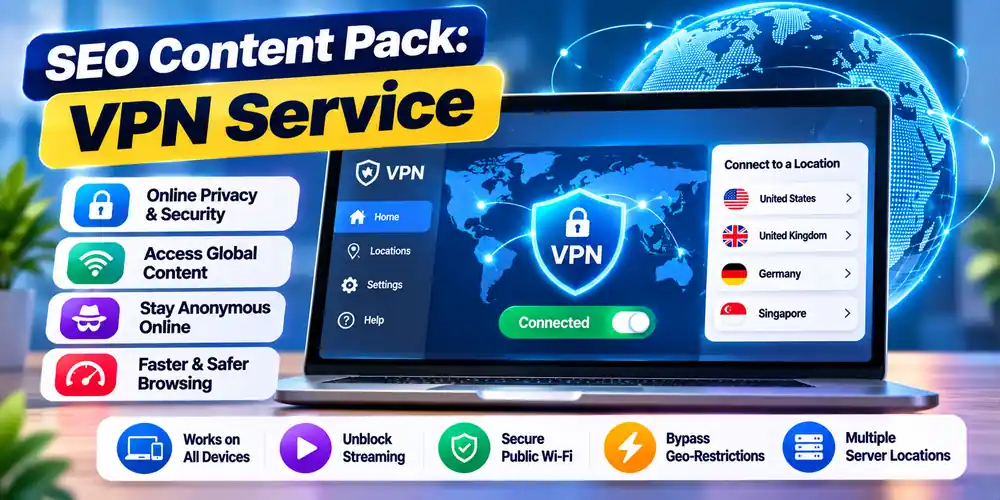
This is the moment most people first think about a VPN service. A virtual private network creates an encrypted tunnel between your device and a server run by the VPN provider, so the network you are on cannot easily read or tamper with your traffic.
But VPNs are also heavily marketed, and many claims are exaggerated. In this guide, you will learn how a VPN service works, what it genuinely protects, where it falls short, and a practical checklist for choosing one for personal use or for your business.
What Is a VPN Service?
A VPN service is a subscription or software product that routes your internet traffic through an encrypted connection to a remote server. Websites and apps then see the VPN server's IP address instead of yours.
Think of it like sending a letter inside a locked box to a trusted mailroom. The mail carrier can see a box traveling to the mailroom, but not what is inside or where it goes next. The mailroom opens the box and forwards your letter.
That trusted mailroom is the key point. With a VPN, you shift trust from your internet provider or local network to the VPN company. Choosing a trustworthy provider is therefore the most important decision you will make.
How Does a VPN Service Work?
- You connect. The VPN app on your device authenticates with the provider's server.
- A tunnel is created. Your device and the server agree on encryption keys using a VPN protocol.
- Traffic is encrypted. Everything leaving your device is scrambled before it crosses the local network.
- The server forwards it. The VPN server decrypts the traffic and sends it to the website or service you requested.
- Responses return the same way. Data comes back to the VPN server, is encrypted again and travels back to you.
VPN protocols in plain English
The protocol is the set of rules that builds and protects the tunnel. You will usually see these options:
ProtocolStrengthsThings to knowWireGuardModern, lightweight, fast and with a small code baseSome providers add extra layers to improve privacyOpenVPNMature, widely audited and very flexibleCan be slower than WireGuard on some devicesIKEv2/IPsecReconnects quickly when switching networks, good on mobileOften used for phones moving between Wi-Fi and cellularProprietary protocolsBuilt by individual providers for speedLook for independent security audits
If you are unsure, WireGuard or OpenVPN are sensible defaults from reputable providers.
What a VPN Service Protects
- Public Wi-Fi risks. It reduces the chance that someone on the same network can snoop on or alter your traffic.
- Your IP address. Sites see the VPN server's address, which makes basic location tracking harder.
- Browsing from your internet provider. Your ISP can see you are connected to a VPN but not the sites you visit through it.
- Remote access to company systems. Business VPNs let employees reach internal tools securely.
What a VPN Service Does Not Protect
This is where many buyers are misled. A VPN does not:
- Make you anonymous. Logged-in accounts, cookies and browser fingerprinting can still identify you.
- Stop phishing or malware. If you click a malicious link or download infected software, the VPN will not save you. Some providers include basic threat blocking, but it is not a replacement for security software.
- Fix weak passwords. Use a password manager and multi-factor authentication.
- Hide activity from the VPN provider itself. That is why logging policies and audits matter.
- Guarantee access to streaming libraries. Streaming services actively block many VPN servers, and terms of service vary.
A realistic view helps you buy the right product and avoid paying for promises no tool can keep.
Free vs Paid VPN Services
Running a global server network costs money. If a VPN is completely free, it has to be funded somehow.
FactorFree VPNReputable paid VPNFunding modelOften ads, data limits or upselling; some have sold user dataSubscription feesSpeed and dataFrequently capped or throttledUsually unlimited data and more serversPrivacyVaries widely; read the policy carefullyMany publish independent auditsSupportLimitedLive chat or ticket support
Some well-known providers offer free tiers with limits as a trial path, which can be a reasonable option. Be wary of unknown free apps with vague privacy policies, excessive permissions or no clear company behind them.
How to Choose the Best VPN Service: A Practical Checklist
1. Verify the no-logs policy
Almost every provider claims not to log activity. Look for evidence: independent audits by recognized firms, published transparency reports and, ideally, a track record that has held up under real legal requests.
2. Check jurisdiction and ownership
Know which company owns the service and where it is based. Corporate ownership changes can affect policies, so a quick search on the parent company is worthwhile.
3. Look for essential security features
- Kill switch: blocks internet traffic if the VPN connection drops, so your real IP is not exposed.
- DNS and IPv6 leak protection: stops your requests from bypassing the tunnel.
- Strong encryption: modern standards such as AES-256 or ChaCha20.
- Multi-factor authentication for your VPN account.
4. Test speed from your location
Speed depends on distance to servers, your base connection and the protocol. Use the trial or money-back period to test at your normal working times.
5. Confirm device support and limits
Check apps for Windows, macOS, iOS, Android and, if needed, routers. Note how many simultaneous connections are allowed.
6. Consider split tunneling
Split tunneling lets you choose which apps use the VPN. For example, you might route your browser through the VPN but keep a video call on your direct connection for better quality.
7. Read the refund policy
A clear money-back guarantee lets you test the service risk-free.
Well-known providers to research
Popular consumer options frequently compared by reviewers include NordVPN, ExpressVPN, Surfshark, Proton VPN and Private Internet Access. Features and pricing change regularly, so compare current plans and recent independent audits rather than relying on older rankings.
VPN Services for Businesses
A consumer VPN and a business VPN solve different problems.
NeedConsumer VPNBusiness VPN / remote accessMain goalPrivacy on public networksSecure access to company resourcesManagementIndividual userCentral admin console, user provisioningAccess controlNot applicableRole-based access, single sign-on integrationReportingMinimalAudit logs for compliance
Many organizations are also moving toward zero trust network access (ZTNA), where every user and device is verified for each application instead of being trusted once they join the network. A traditional VPN can still be part of the picture, but security teams increasingly combine it with identity checks, device health checks and least-privilege access.
Scenario: a 25-person accounting firm
An accounting firm with staff working from home handles sensitive client financial data. A consumer VPN on each laptop would hide traffic on public Wi-Fi, but it would not control who can open the client file server. The better approach is a business remote-access solution tied to employee accounts, with multi-factor authentication and access limited to the folders each role needs.
Setting Up a VPN Service in Five Minutes
- Choose a provider using the checklist above.
- Download the official app from the provider's website or your device's app store.
- Sign in and enable the kill switch and auto-connect on untrusted networks.
- Pick a nearby server for the best speed, or a specific country if you need it for a legitimate reason.
- Run a leak test from a reputable testing site to confirm your IP and DNS are protected.
Everyday Situations Where a VPN Service Helps
Understanding real use cases makes it easier to decide whether you need a VPN, and which features to prioritize.
Working from coffee shops, hotels and coworking spaces
Shared networks are convenient but unpredictable. You rarely know who manages the router, whether it is properly configured or who else is connected. Turning on auto-connect for untrusted Wi-Fi means you are protected without having to remember.
Traveling for business
Frequent travelers move between airports, hotels and conference venues. A VPN with IKEv2 or WireGuard reconnects quickly as you switch networks. If you travel abroad, research local VPN rules before you go, and make sure your company's remote-access tools are approved for use in that country.
Freelancers handling client data
Designers, consultants and bookkeepers often send contracts, invoices and confidential files from wherever they happen to be. A VPN adds a layer of protection on public networks, while a password manager and multi-factor authentication protect the accounts themselves.
Protecting smart home and household devices
Some VPN providers support router installation, which covers every device on your home network, including smart TVs and game consoles that cannot run VPN apps. This is useful for households that want consistent privacy, though it can slow the whole network if your router lacks processing power.
Research and competitive analysis
Marketers sometimes need to see how search results or ads appear in different US cities. Connecting to a server in another region gives a rough view, although search engines also use other signals, so results will not always match a local user exactly.
Red Flags When Comparing VPN Services
Not every provider deserves your trust. Watch for these warning signs:
- Vague or very short privacy policies that do not explain what data is collected.
- No identifiable company or leadership team behind the product.
- Lifetime deals that seem too good to be true, which may signal an unsustainable business model.
- Excessive app permissions, especially on mobile, such as access to contacts or files without a clear reason.
- Unverifiable claims like "military-grade" protection or "100% anonymity," which are marketing phrases rather than technical guarantees.
- No independent audits or a history of security incidents that were not handled transparently.
If a provider raises two or more of these flags, keep looking.
How to Measure Whether Your VPN Is Working Well
After setup, check performance and protection periodically:
- Run a speed test with the VPN on and off at the same time of day. A modest drop is normal; a dramatic one suggests trying a closer server or another protocol.
- Run IP, DNS and WebRTC leak tests from a reputable testing site to confirm nothing bypasses the tunnel.
- Test the kill switch by disconnecting from Wi-Fi briefly while the VPN is active. Traffic should stop rather than fall back to your normal connection.
- Review app updates. Security fixes matter, so keep the VPN app current on every device.
Is Using a VPN Service Legal in the US?
Using a VPN is legal in the United States. However, illegal activity remains illegal whether or not you use a VPN, and some online services restrict VPN use in their terms. If you travel internationally, check local rules, as some countries restrict or ban VPNs.
Conclusion
A VPN service is a useful layer of protection, especially on public Wi-Fi and for remote access, but it is not a magic privacy shield. The best choice comes from understanding what it protects, verifying a provider's claims, and matching the product to your real needs, whether that is personal privacy or secure business access.
Start with the checklist, test during a refund window and pair your VPN with strong passwords, multi-factor authentication and safe browsing habits.
Get a free marketing audit
See exactly where your SEO, ads and website are leaving money on the table.